Introduction to Google Analytics Training Course
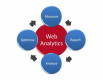
Google Analytics is a web analytics tool designed for tracking and reporting website data. By leveraging Google Analytics, users can extract valuable insights and make informed, data-driven decisions to enhance business operations.
This instructor-led live training (available online or onsite) is designed for data analysts who want to utilise Google Analytics to monitor and report on website performance.
Upon completing this training, participants will be able to:
- Configure Google Analytics to gather website data.
- Build and interpret reports.
- Derive actionable insights and support data-driven decision-making.
Course Format
- Interactive lectures and group discussions.
- Numerous exercises and practical practice sessions.
- Hands-on implementation within a live-lab environment.
Course Customisation Options
- For bespoke training arrangements, please contact us to discuss your requirements.
Course Outline
Introduction
Overview of Google Analytics
- What is Google Analytics?
- Key features of Google Analytics
Environment Preparation
- Setting up Google Analytics
Administration
- Managing settings
Reporting
- Importing and exporting data
- Creating custom reports
- Developing and sharing dashboards
- Adding shortcuts
Data Visualisation
- Adding and comparing metrics
- Sorting data
- Creating charts and graphs
- Utilising search features
Summary and Conclusion
Requirements
- A fundamental understanding of computer operations
Target Audience
- Data Analysts
Open Training Courses require 5+ participants.
Introduction to Google Analytics Training Course - Booking
Introduction to Google Analytics Training Course - Enquiry
Introduction to Google Analytics - Consultancy Enquiry
Testimonials (3)
The final day which is the Machine Learning Topic
John Erick Baltazar - Globe Telecom
Course - Google BigQuery
It was a really good training course, well prepared and explained by the trainer with great hands on experience on GCP.
Mircea
Course - Google Cloud Platform Basics and Management
Responses with solutions and practical use.
Agnieszka - AIRBUS HELICOPTERS POLSKA SP. Z O.O.
Course - Google AdWords: Beginner to Advanced
Upcoming Courses
Related Courses
Google Cloud Platform Fundamentals and Core Service
24 HoursThis instructor-led, live training in Malaysia (online or onsite) is aimed at beginner-level IT professionals who wish to use Google Cloud Platform to understand core services, deploy cloud workloads, and follow operational best practices.
By the end of this training, participants will be able to explain core Google Cloud services, deploy basic workloads, and apply security and monitoring practices.
Google AdWords: Beginner to Advanced
7 HoursThis instructor-led live training in Malaysia (online or onsite) is designed for marketers who wish to utilize Google AdWords to launch marketing campaigns.
Upon completion of this training, participants will be able to:
- Execute Google AdWords campaigns that capture high-quality leads.
- Create Google AdWords campaigns aimed at boosting sales.
- Implement bid strategies to maximize profits from advertisement expenditures.
- Enhance existing marketing campaigns using Google AdWords.
Google BigQuery
28 HoursThis instructor-led, live training in Malaysia (online or onsite) is aimed at advanced-level data analysts who wish to learn how to use Google BigQuery for data querying, optimization, and machine learning integration.
By the end of this training, participants will be able to:
- Understand the fundamentals of Google BigQuery and its use for data analytics and cloud computing.
- Use Google BigQuery for data management and complex SQL queries.
- Implement query optimization strategies to improve performance.
- Integrate BigQuery with other Google Cloud services.
Google Certified Associate Cloud Engineer
35 HoursThis instructor-led, live training in Malaysia (online or onsite) is aimed at intermediate-level IT professionals who wish to gain expertise in managing cloud infrastructure and services on Google Cloud.
By the end of this training, participants will be able to:
- Set up and configure cloud environments using Google Cloud services.
- Manage and configure virtual machines, storage, and networking.
- Deploy and monitor applications in GCP environments.
- Implement security best practices and identity management.
- Use Google Cloud tools for automation and troubleshooting.
Google Cloud AutoML
7 HoursThis instructor-led live training in Malaysia (online or onsite) is aimed at data scientists, data analysts, and developers who wish to explore AutoML products and features to create and deploy custom ML training models with minimal effort.
By the end of this training, participants will be able to:
- Explore the AutoML product line to implement different services for various data types.
- Prepare and label datasets to create custom ML models.
- Train and manage models to produce accurate and fair machine learning models.
- Make predictions using trained models to meet business objectives and needs.
Google Cloud Platform Basics and Management
21 HoursThis instructor-led, live training in Malaysia (online or onsite) is designed for beginner-level IT professionals aiming to manage and operate the Google Cloud Platform.
By the end of this training, participants will be able to:
- Comprehend the core services and infrastructure of GCP.
- Learn how to manage networks and virtual machines.
- Understand and apply general security best practices in GCP.
- Explore Kubernetes and container management in GCP.
- Learn about storage options and their configuration.
- Deploy and configure databases on GCP.
Mastering Google Earth Pro
21 HoursThis instructor-led, live training in Malaysia (online or onsite) is aimed at intermediate-to-advanced level GIS professionals who wish to learn how to use Google Earth Pro for mapping, data visualization, and geographic analysis.
By the end of this training, participants will be able to:
- Learn to navigate the user interface of Google Earth Pro and understand the functionality of its various tools and options.
- Efficiently navigate the globe using Google Earth Pro, including the use of search functions, coordinates, and various view modes.
- Create, edit, and utilize placemarks, paths, and polygons to mark and analyze geographical locations.
- Use Google Earth Pro for advanced visualization, including 3D buildings, historical imagery, and street view integration.
Google Kubernetes Engine (GKE)
14 HoursIn this instructor-led live training in Malaysia, participants will learn how to set up and manage a production-scale container environment using Kubernetes on Google Cloud.
By the end of this training, participants will be able to:
- Configure and manage Kubernetes on Google Cloud.
- Deploy, manage and scale a Kubernetes cluster.
- Deploy containerized (Docker) applications on Google Cloud.
- Migrate an existing Kubernetes environment from on-premise to Google Cloud.
- Integrate Kubernetes with third-party continuous integration (CI) software.
- Ensure high availability and disaster recovery in Kubernetes.
Google Maps API for Developers
14 HoursThis instructor-led, live training in Malaysia (online or onsite) is designed for developers who wish to enhance their websites or web applications by adding geo-location functionality via Google Maps.
By the end of this training, participants will be able to:
- Embed a map into a new or existing website or web application.
- Display live data that synchronizes with the current location.
- Create a mashup that includes Google Maps.
- Apply good CSS and JavaScript coding practices
- Create a custom map for an application.
Google Workspace for Commercial Managers
7 HoursThis instructor-led live training in Malaysia (online or onsite) is designed for beginner-level commercial managers who wish to employ Google Workspace tools to enhance productivity, collaboration, and organisation in their respective roles.
By the end of this training, participants will be able to:
- Understand the basics of Google Workspace.
- Effectively schedule and manage meetings using Google Calendar.
- Confidently host, join, and manage virtual meetings, and use collaboration features like screen sharing.
- Create professional documents, use collaboration features, and convert documents to various formats.
- Create, format, and share presentations, and collaborate with others on the same presentation.
Google Workspace: Communication, Collaboration, and Productivity
14 HoursGoogle Workspace comprises a suite of cloud-based applications designed to boost communication, collaboration, and productivity in both professional and academic settings. This blended training programme integrates virtual and face-to-face sessions, equipping participants with practical skills to effectively utilise Gmail, Calendar, Meet, Drive, Docs, Sheets, Slides, and Chat/Gemini through hands-on activities and guided practice.
Delivered as an instructor-led, live training programme (available online and onsite), this course targets beginner to intermediate-level professionals eager to strengthen their proficiency in Google Workspace to streamline teamwork and operational efficiency.
Upon completing this training, participants will be able to:
- Efficiently organise and manage emails, events, and meetings using Gmail, Calendar, and Meet.
- Collaborate in real-time using Google Drive, Docs, Sheets, and Slides.
- Leverage communication tools such as Chat/Gemini to optimise team interactions.
- Create practical deliverables, including schedules, collaborative reports, dashboards, and presentations.
Course Format
- Blended learning approach: 2 hours of virtual instruction plus 12 hours of in-person sessions.
- Interactive lectures and discussions.
- Hands-on exercises, group projects, and simulations.
- Video tutorials and guided virtual practice activities.
Customization Options
- To request a version tailored to your organization’s specific processes, please contact us to arrange.
Google Workspace (G Suite) for Administration
14 HoursThis instructor-led live training in Malaysia (online or onsite) is aimed at system administrators who wish to manage and deploy G Suite for organizations.
By the end of this training, participants will be able to:
- Apply Google security practices with 2SV and SSO.
- Monitor domain and services usage through reports in the Admin Console.
- Set up and configure a G Suite Admin Console.
Google Workspace (G Suite) Essentials
7 HoursGoogle Workspace is a cloud-based suite of productivity and collaboration tools designed to streamline communication, file sharing, and team productivity. This course covers the essential apps and features to help participants work more efficiently and collaboratively.
This instructor-led, live training (online or onsite) is aimed at beginner-level to intermediate-level users who wish to get the most out of Google Workspace tools for daily work and collaboration.
By the end of this training, participants will be able to:
- Use Gmail for professional communications.
- Manage files securely in Google Drive.
- Run effective meetings in Google Meet.
- Collaborate in real time with Docs, Sheets, and Slides.
- Organize schedules with Google Calendar.
- Communicate quickly using Google Chat.
- Create forms and collect responses with Google Forms.
- Capture ideas and manage tasks with Keep and Tasks.
Format of the Course
- Interactive lecture and discussion.
- Hands-on exercises and practice.
- Live demonstrations.
Course Customization Options
- To request a customized training for this course, please contact us to arrange.
Optimizing Analytics and Machine Learning with Google BigQuery
14 HoursGoogle BigQuery is a fully managed, serverless data warehouse designed to support cost-effective query optimization, predictive analytics via BigQuery ML, and seamless data ingestion for robust analytics workflows. It is tailored for teams seeking to maximize query efficiency, develop machine learning models directly within SQL, and streamline their reporting pipelines.
This instructor-led training, available online or onsite, is designed for teams with a foundational understanding of SQL who wish to optimize their queries, leverage BigQuery ML for predictive modeling, and enhance their data ingestion and transformation processes for reporting purposes.
Upon completion of this training, participants will be able to:
- Optimize queries in BigQuery to enhance performance and minimize costs.
- Utilize BigQuery ML to construct, train, and assess predictive models.
- Design efficient data ingestion and transformation pipelines tailored for reporting.
- Apply industry best practices for scaling analytics within Google BigQuery.
Course Format
- Interactive lectures and discussions.
- Practical hands-on labs utilizing Google BigQuery and BigQuery ML.
- Real-world exercises focused on query optimization and pipeline design.
Customization Options
- To arrange a customized training session for this course, please get in touch with us.
Operational Integration with Trello, QuickBooks, and Google Workspace
20 HoursThis course is tailored for organisations aiming to streamline their operations by linking various digital platforms essential for daily tasks, including Trello, QuickBooks, Google Workspace, and the WhatsApp API.
This instructor-led, live training (available online or onsite) walks participants through the process of connecting and automating workflows, enhancing project and financial oversight, and centralising information to support better decision-making.
Upon completion of this training, participants will be able to:
- Connect and automate workflows between Trello, QuickBooks, and Google Workspace.
- Integrate WhatsApp API communication into operational workflows.
- Design multi-platform automation systems that prioritise efficiency and control.
- Implement security and monitoring policies for active integrations.
- Document and maintain automated processes for ongoing operation.
Course Format
- Conceptual explanations and guided demonstrations.
- Practical exercises applied to real-world operational scenarios.
- Hands-on practice using company-specific data and tools.
Course Customisation Options
- Adapting the content to the company’s specific platforms and processes.
- Including additional tools such as Zapier, Make/Integromat, or Power Automate.
- Analysing and designing real data integration flows.